
The code was done. The plugin worked. I’d been using it every day. All that was left was getting it into the community plugin list so other people could install it too. How hard could that be?
I found out. And then the entire submission system changed while I was in the middle of it.
Since the last devlog, I’ve added two features I’d been wanting. First, you can now drag list items between different groups. If you have a nested list and want to move something from one sub-list into another, just grab it and drop it where it belongs. Second, you can drag a list item between two files open side by side. File operations are terrifying and I was convinced I’d corrupt someone’s notes. So far, so good, though.
The review process
The first thing to go through was the plugin guidelines, only two of which actually required me to do anything.
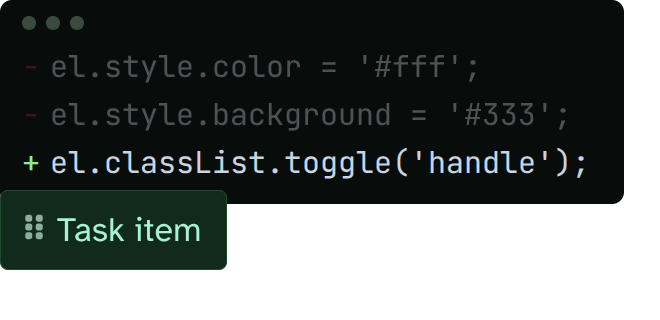
No hardcoded styling.
- I was setting CSS directly on elements, so I swapped to toggling a class instead.
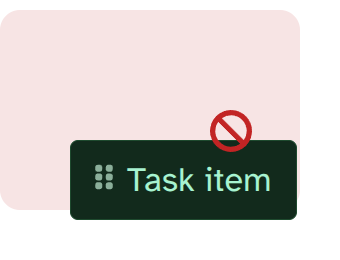
Clean up resources when the plugin unloads.
- I made sure any active drags get cancelled if you disable the plugin.
Both fixes took about five minutes each.
Then the submission requirements page had a few things to check.
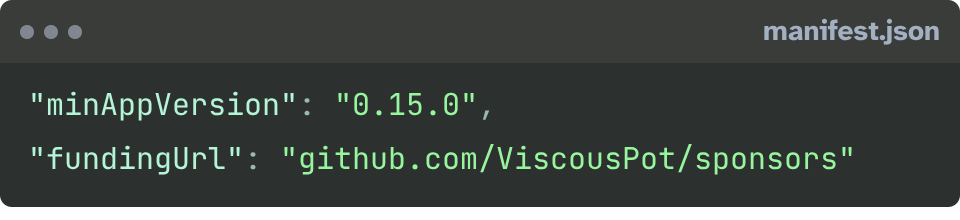
Set a reasonable minAppVersion
- I used
0.15.0
Keep the description short.
Don’t use Node.js or Electron APIs on mobile.
Remove all the sample code from the boilerplate.
Add a fundingUrl if you want donations.
Releases
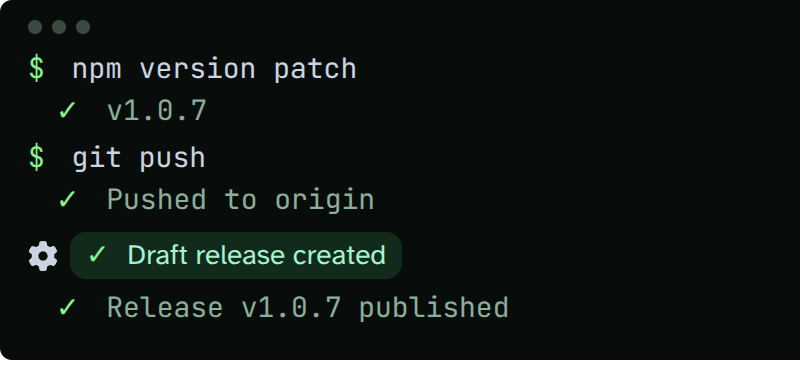
Fixed all that up. Created a new tag, a new release, set it as the latest, published it. I also set up the default GitHub Actions workflow from the docs. Now when I want to release, I just run npm version patch, push, and a draft release appears. I approve it and it’s done.
The PR
Back when I started this, the process was fork their repository, edit a JSON file with your plugin info, submit a pull request, and wait for a maintainer to review it. I was in the middle of following the wiki, making my edits, and even submitted my PR.
Then everything changed
The new system lives at community.obsidian.md. No pull request needed (but they did port over all the pending PRs). You paste your GitHub repository URL directly. The portal scans your plugin automatically and flags issues as red or orange work items in plain English. You fix, release, rescan, repeat. No waiting on a human. It took a few rounds, but the loop was way faster. The timing was terrible, but the new system is actually better.
The plugin is in
Search “Draggable List Items” in community plugins and use it on desktop or mobile. Since getting accepted, I added the cross-group drag and interfile drag so I’ve got everything in that I wanted to.
What’s next
This plugin was practice. I still had a need for it, but it was still practice. The next one is more ambitious. I want to build handwriting input and recognition plugin that works across all of Obsidian. I haven’t seen anyone do it properly and I already have a prototype that works (it’s already available on Patreon if you want to try it), but it’s messy, so I’m restarting to cover every step as a devlog. The first part of that series is already out.

Let me know if you try the handwriting plugin or have feature requests for Draggable List Items. I’m still tinkering with it. Found a bug? Drop it on the GitHub Issues page or join the Discord.
But, that’s all I have for today. Have a great day and see you in the next one.