
I just spent about 20 hours clicking through 575,000 handwriting samples by hand. Is it the right way up? Does the label match the strokes? Four datasets, four different formats, every orientation you can imagine, all converted, cleaned and standardised into one pipeline. One of the most tedious things I’ve ever done. And completely worth it, because a model is only ever as good as the data you feed it.
Last time I showed the prototype. On-device handwriting to text in Obsidian, no cloud. It worked, but the model was trained mostly on synthetic data. Computer generated strokes, perfectly neat, no cursive, no wobble. Useful for teaching a model what each letter is supposed to look like. Useless for teaching it what a human actually does. Around 3 to 4% character error rate on its own training data, around 14% on real writing. If the model only ever sees perfect handwriting, it panics when it meets a person. I’ll keep some synthetic in as a reference for basic shapes, but to ship something usable, I need way more real data.
The datasets
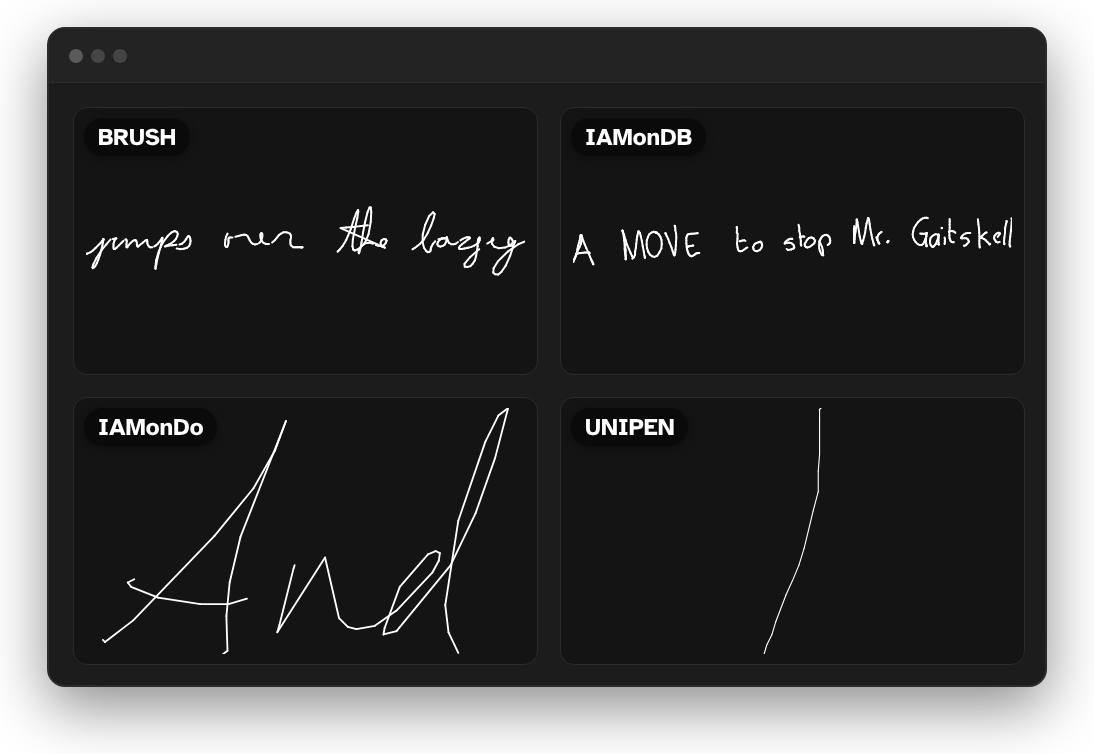
Four public online handwriting datasets. All four were actually in the prototype’s training too, just a small slice of each topped up with synthetic. This time I want as much of every one as I can get. Online doesn’t mean internet here. It means the strokes are recorded as points over time rather than a static image, so you get speed through curves, hesitations, pen lifts. The plugin captures pen data in real time, so it’s the natural fit.
- IAM-OnDB. The research benchmark. Clean, mostly the right way up.
- BRUSH. Also clean. Barely needed touching.
- IAMonDo. The most realistic of the lot, real documents. Terrible orientation though. Rotated, upside down, curving diagonally.
- UNIPEN. The biggest and the worst. Bad orientation and, as I found out later, bad labels too.
Roughly 575,000 samples from about 2,800 writers. Two datasets were fine. Two were chaos.
What happens to a stroke
Raw pen data is X, Y, timestamp points and one word can be 30,000 of them. That’s describing a letter by listing every pixel you cross. Far too long for a transformer.
So I fit cubic bezier curves instead. Four control points per curve, chained together, and any stroke becomes a sequence of smooth segments. About 11x compression, and the timing survives, which is what lets the model tell an ‘n’ from an ‘m’.
One catch. Beziers smooth out corners, and ‘k’, ‘r’ and ‘v’ need corners. So strokes get pre-split wherever the pen changes direction sharply before fitting. Training and the plugin share the same fitting code, so the model sees exactly what users write.

Four formats, one pipeline
XML, InkML, NumPy, a custom .dat. Absolute coordinates, delta encoding, conventions of their own. One converter per dataset, and everything comes out as a CSV of strokes plus a JSON with the label and source.
The web UI
Then I couldn’t see any of it. CSV files are just numbers. Rows of coordinates tell you nothing about whether a sample says “hello” or is upside down gibberish.
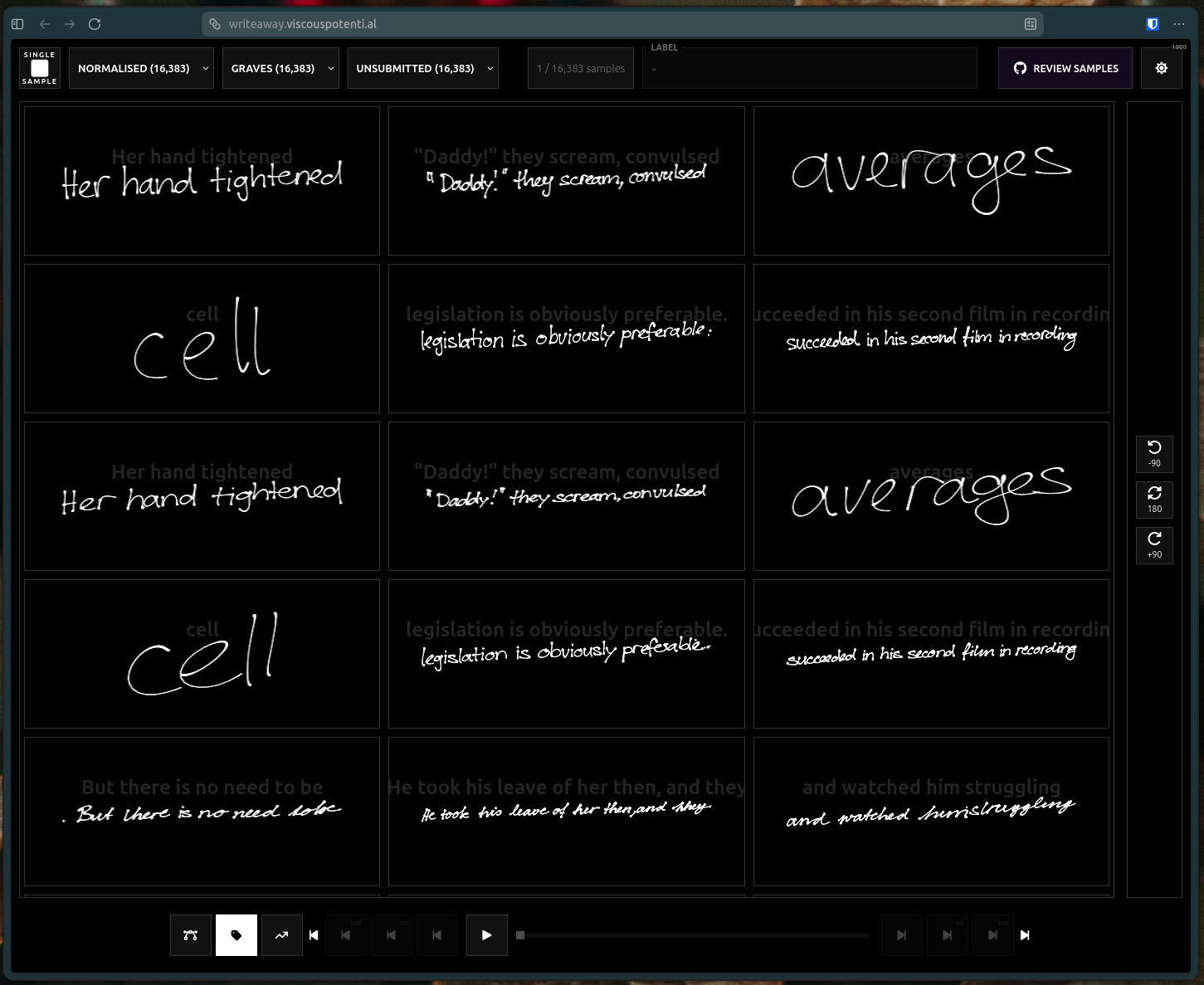
So I built a little web UI. Renders strokes on a canvas, steps through samples, replays the writing in real time. Shows the label and the bezier fit alongside, which turned out to be great for spotting fits gone wrong, like sharp angles turning into loops. It took way longer than I’m willing to admit, mostly on getting it to stream 500,000 samples’ worth of raw points without falling over. If you want a video on that, say so in the comments. For the first time I could actually see what I was working with.
The orientation problem
And what I was working with, in UNIPEN and IAMonDo especially, was upside down, sideways and diagonal. The model needs to learn letter shapes, not letter shapes at every angle. Train on rotated data and it wastes capacity learning to un-rotate instead of learning to read.
So the UI got rotation controls and every wrong sample got flipped before approval. At one a second, 575,000 samples is a full week of clicking. I got it down to about 20 hours. Still genuinely miserable.
The batch fix
The thing that saved it: the clean datasets didn’t need the one-at-a-time treatment. I added a grid mode, select a bunch, batch approve, done. BRUSH and IAM-OnDB took minutes each instead of days, and all that time went into the messy ones instead.
About 20 hours across four days later, all 575,000 checked, oriented and approved. Time to train.
Or so I thought.
What’s next
Next devlog is training on this data. The conformer architecture and how the new model stacks up against the prototype on real handwriting. It’s out a week early on Patreon when this video drops, along with the new build of the plugin and the models. Everything here is going to be free eventually, so if you don’t have cash to spare, please don’t spend it on me.
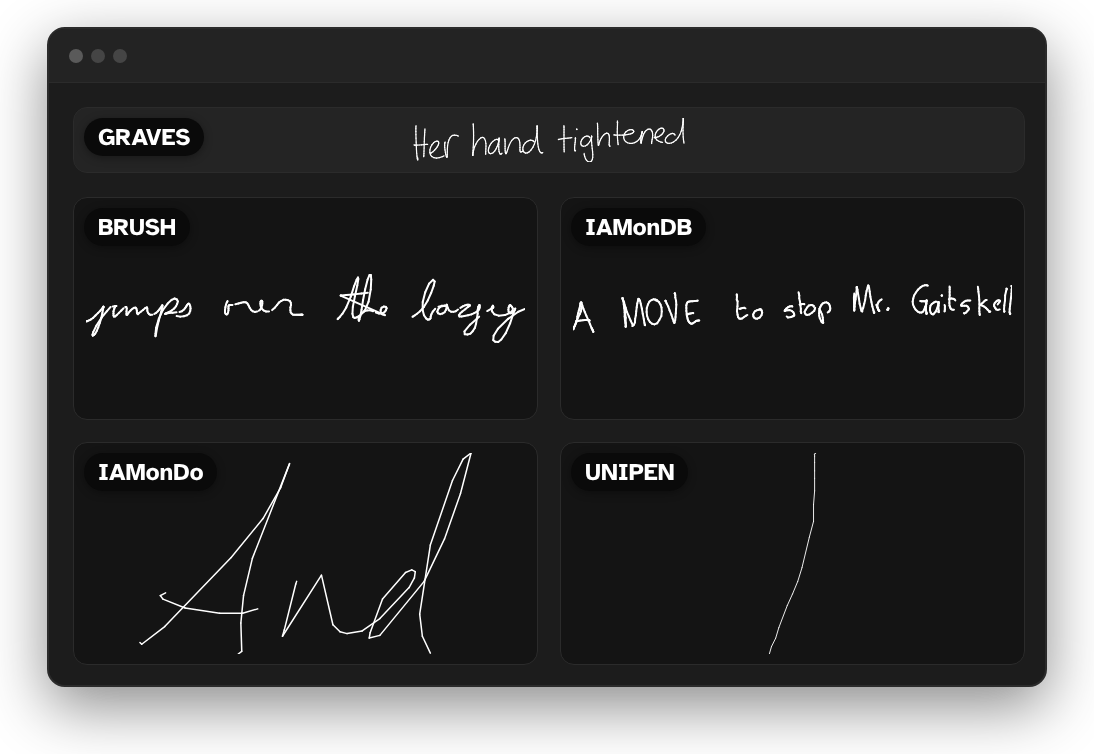
The web UI is live too, so if you want to click through the samples yourself, have a look. Let me know in the comments or on the Discord if your handwriting looks anything like what’s in there.