
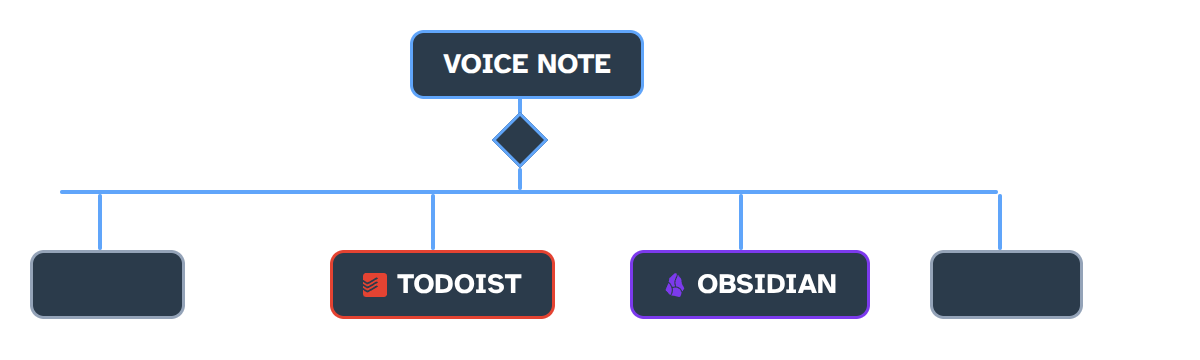
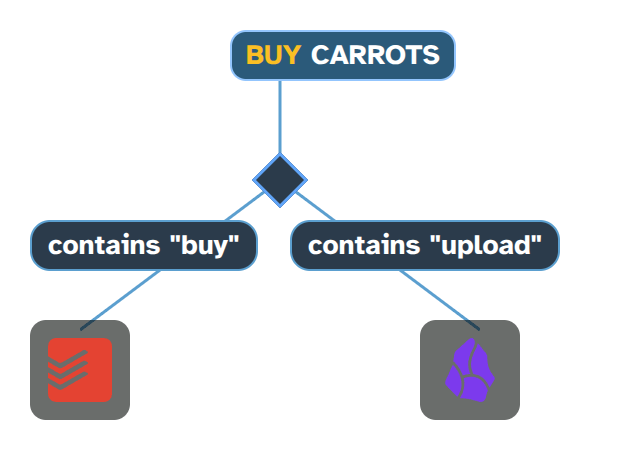
Two different recordings. One landed in my Obsidian notes. The other became a Todoist item in my shopping list. I didn’t have to pick where they landed because I set up rules that decided for me.
Most voice notes apps stop after transcribing your audio to text. Vocode treats that transcription as the start of a pipeline that you control.
I’m Vis and this is devlog zero for Vocode. I’ll cover where the app is at now and where it’s going.
If you already know me from the GitSync app for syncing Obsidian, that’s not going anywhere and development isn’t slowing down. In fact, I’ve been working on both apps the whole time and I’m excited to finally share Vocode!
Why This Exists
Every voice notes app I tried had the same friction. You have to unlock your phone, open an app, wait for it to load, record your voice and ship it off to some server, get a transcript back, and then copy and paste it where you actually need it. By the time any of that is done, the thought is lost.
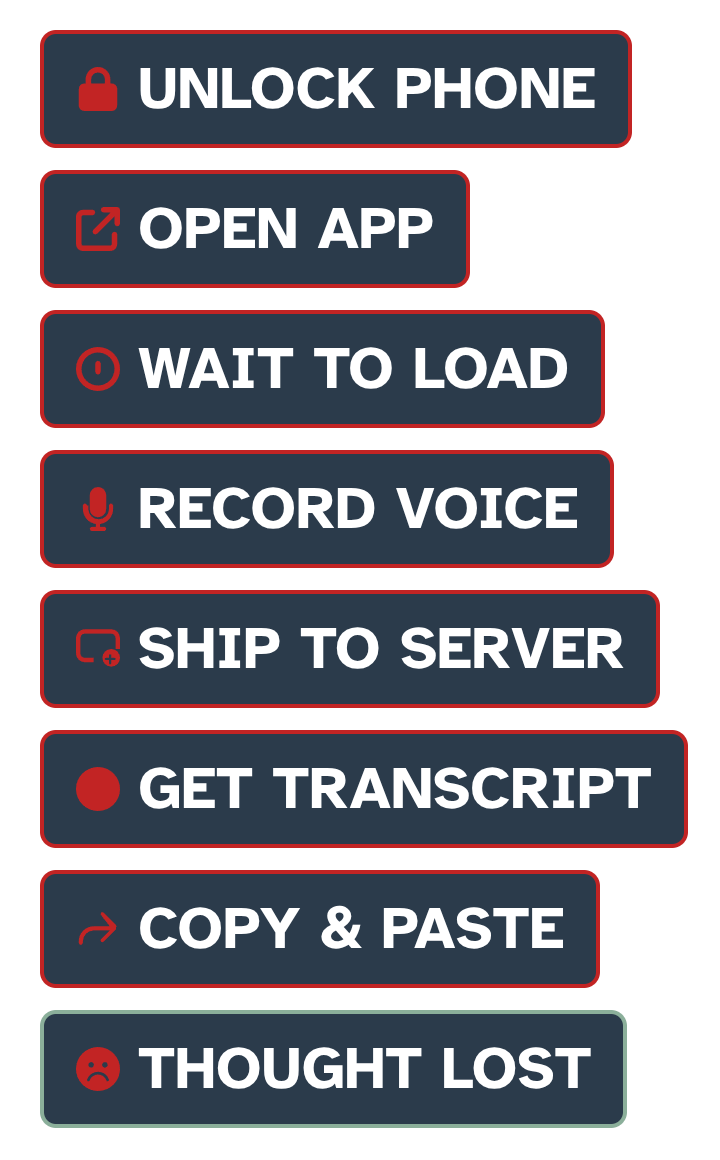
Vocode is what you get when you remove all those steps. Including opening an app.
The beta is available now on both the App Store and Play Store. If you want to try it out or help me test, join the Discord and let me know about any bugs you find.
The Pipeline
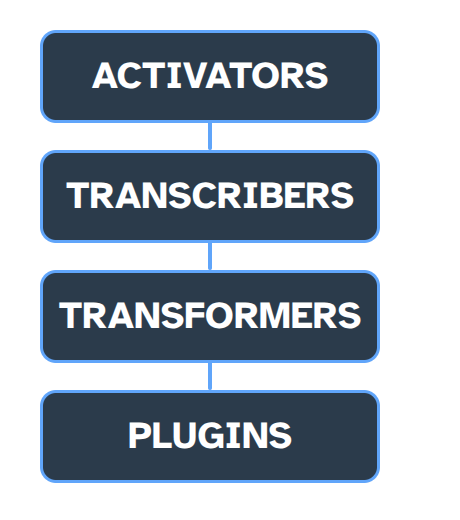
Vocode has four stages. Activators start a recording. Transcribers convert speech to text. Transformers clean the text up. And plugins decide where the text goes.
Activators
The basic way to create a note is the in-app button. Hold for push to talk. Press for a text entry dialog.
The volume button combo is available on Android and is the most powerful quick entry option I’ve seen. You hold both volume up and down at once to push to talk. Or tap the same combo to open a text entry dialog. It works from the lockscreen. No app to open. This is what keeps me using the app every single day while forgetting I even have it installed.
Transcribers
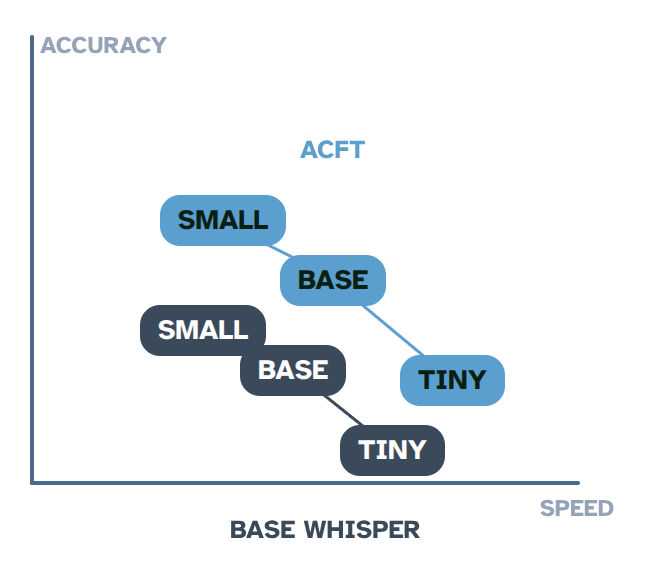
If you push to talk, the transcription runs on device using Whisper. There are tiny, base, and small model options depending on whether you prioritize speed or accuracy. Vocode uses FUTO ACFT for fast and accurate transcription, especially for shorter clips. FUTO is the open source Gboard alternative that Louis Rossman’s team is making.
No upload. Works on the train. Works in airplane mode.
Transformers
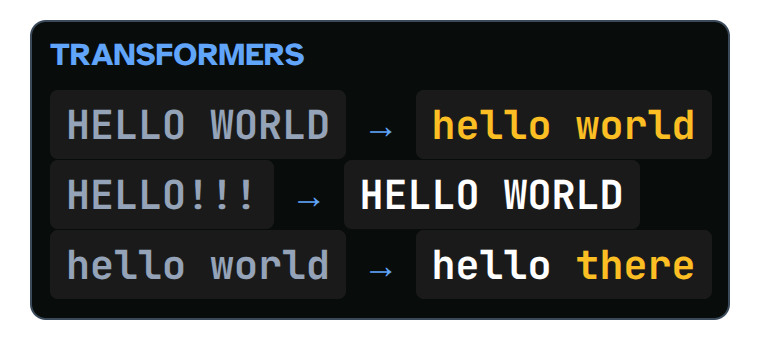
Once you have text, transformers clean it before plugins see it. Lowercase, strip punctuation, find and replace. The output lands in a predictable shape.
Plugins
This is where the text lands and where the magic happens. Plugins take text and do something with it. That could mean inserting into a specific location in an Obsidian note, creating a Todoist task, sending an Android intent, or basically anything else.
The Text Injector drops a transcript at a chosen point in a target file. This is your Obsidian quick capture path. The Intent Sender fires Android intents into apps like Tasker.
Plugins chain with if and else conditions. The same recording can land in different places depending on rules you set.
There are core plugins and a community plugin ecosystem. If you want to make your own plugins, you’re free to do so! All of them are written in Lua. You can check out the code for the core plugins in the repository. If you have something you want Vocode to export to or interact with, look through the existing plugin code for inspiration or check the wiki for the full API reference.
I use Vocode dozens of times a day without thinking about it. It helps me capture those ephemeral thoughts that would otherwise be lost. Once you’ve wired it the way you want, you stop noticing it. That’s the aim. Everything stays on the phone. No cloud. No data collection. Your voice never leaves the device. There’s nowhere for it to go. And if you change or delete a note in Vocode, it’s updated in the file. Edits sync too. Delete a note in Vocode and it disappears from your Obsidian file.
What’s Next
I’ve been quietly using this on my own phone for two years. Suspiciously quiet about it in public. I know that’s a fantastic way to lose any trust people had in your roadmap.
The reason I’m finally making this video is that I’m prepping Vocode for a full store release on iOS and Android. So other people can use it too. And it’s free to download today in beta.
The store release is still ahead. The next few months are genuinely up for grabs. What destinations do you want Vocode to write to? What plugin do you wish existed? Drop it in the comments or, if you’re feeling inspired, create it yourself.
The next few devlogs will cover getting that release shipped on both platforms. The Discord link is below. Follow along or just hang out. If you want to support the project, sponsors on GitHub keep it moving.